
Blog.
The latest digital marketing news, free guides and insights straight from Growthworx HQ.

The Google March 2026 Core Update: What happened and what It means for your website
One of the most disruptive Google updates in recent memory has finished rolling out. Here is what changed, who was affected, and what owner-managed businesses should do about it.
If your website traffic has moved noticeably over the last three weeks, you are not imagining it. Google began rolling out its March 2026 Core Update on 27 March and officially completed it on 8 April. It was the first broad core update of the year, and by almost every measure it was more disruptive than the December 2025 update that preceded it.
This article breaks down what actually happened, what it means for small and owner-managed businesses, and the practical steps to take next.
What the March 2026 core update actually was
A core update is simply a broad recalibration of how Google ranks pages. To be clear it is not a penalty, Google is not flagging individual sites for wrongdoing. It is re-weighing how its ranking systems judge quality, relevance and trust across the entire web, and then letting the results settle.
What made this one different was the scale, the timing, and the context around it.
The headline numbers
Volatility peaked at 9.5 out of 10on the SEMrush Sensor, higher than the December 2025 core update.
More than 55% of monitored websites experienced measurable ranking shifts in the first two weeks.
79.5% of top-three results changed position during the rollout, up from 66.8% in December.
About 24% of pages that had been ranking in the top 10 dropped out of the top 100 altogether, according to SE Ranking data.
Some sites reported organic traffic drops of 20 to 35% in the first week. Others saw meaningful gains. That split, winners and losers in roughly equal measure, is the defining feature of a broad core update.
The context nobody is talking about
The core update did not arrive in isolation. It was the third algorithm change in five weeks, following a February Discover-only update and a March 24 to 25 spam update. Reports show that spam update completed in under 20 hours, the shortest confirmed spam update in dashboard history.
The sequence was not coincidence. Clearing spam signals first and then recalibrating quality rankings is a logical order. Websites propped up by manipulative link-building had their supports kicked away before the core update arrived to judge content quality in a cleaner environment. Some sites were caught by both. Untangling which update caused which traffic change now requires careful date-by-date analysis in Search Console.
And just to be clear manipulative link-building isn’t great so if you’re on the wrong side of that I’m probably not going be losing much sleep for you.
Who lost and why
The pattern in the data is clear. The sites hit hardest share a small number of characteristics.
1. Mass-produced poor AI content
This is important to get right. Google did not ban AI content. Let me just reiterate this: Google did not ban AI content.
AI-assisted content that has been edited by a human with real expertise, with original examples and data added, is seemingly performing fine. What dropped was content where AI was used as a replacement for expertise. Pages that read fluently but add nothing original, nothing first-hand, and nothing the reader could not already find elsewhere.
The threshold Google appears to be applying is whether the page offers value that an AI summary of existing search results could not already provide. If it does not, it is likely to be vulnerable.
2. Programmatic SEO and thin templates
Sites that generate hundreds or thousands of near-identical pages by swapping out location names, product specifications or keyword variations have taken a heavy hit. City-by-city service pages that change only the town name. Product comparison pages that list specs without any analysis. Best-of pages built from the same template across thousands of variations. The quality bar on this kind of content has risen sharply.
3. Thin affiliate and aggregation content
Pages that simply rephrase what already ranks in the top ten for a given query, without adding proprietary data, first-hand experience or a unique perspective, are losing ground fast. Google is now explicitly rewarding originality over aggregation.
Now let’s look at who won and why…
Who won and why
The winners had the opposite profile. Clear expertise. Original content that could not easily be found elsewhere. Niche depth rather than generalist breadth. Strong trust signals on the page and at the domain level.
From what I’v read two findings stand out.
73% of top-ranking YMYL pages (Your Money or Your Life, meaning finance, health, legal and anything that affects someone's wellbeing or livelihood) now display clear author credentials. It’s a solid trust signals that’s now doing real work.
Sites publishing original data saw average visibility increases of around 22%, according to analysis of more than 600,000 pages. Adding something that did not previously exist on the web is now one of the clearest routes to ranking.
In plain terms, and something I’ve been banging on about for years now is that Google is tightening the screws on E-E-A-T which stands for Experience, Expertise, Authoritativeness and Trustworthiness.
The sites that can prove all four are pulling away from those that cannot. Those that don’t are now falling behind and the impact is compounding but not in a good way.
Client note 1 - If we’ve been working on content strategy and development together, this is why. Although it doesn’t necessarily give you instant wins ‘today’ it stands you in good stead with Google and that will only become more important going forward.
What this means for owner-managed businesses
To be frank (not literally of course!) most of what has been written about this update is aimed at large publishers and affiliate operators. The implications for small businesses, tradespeople and local service providers actually look a little different.
The good news is that many owner-managed businesses are naturally well-positioned for what Google now rewards. Real expertise from years in the trade. Genuine first-hand experience with real clients. Local knowledge that cannot be scraped from a competitor's site. Authentic photographs of real work. All of these translate directly into the signals Google is now paying more attention to.
The less good news is that any shortcuts still lurking on a website are now more exposed. Stock photography on a tradesperson's site. Crappy poor quality content. Thin location pages for towns the business does not really serve, etc, etc… All of that looks worse in the post-update environment than it did a month ago.
Client note 2 - If I have been asking in the last 12 months for real portfolio images, case studies and your own ‘behind the scenes at ABC Corp’ blog content, again this is why. As much as I can do to boost and maintain your websites search engine result positions it’s now more critical than ever to get these things in place. If you’ve got something sat gathering dust on your todo list from me please get it actioned.
What to do now
I know the the temptation after a volatile update is to panic edit. Rewrite everything. Delete pages. Change titles. But please don’t. From what I’ve seen over the years that almost always makes things worse. Google is way smarter than you quickly flipping your website and as always the right approach needs to be data driven, disciplined and evidence-led.
1. Diagnose before deciding
Open Google Search Console and look at the Performance report. Compare the two weeks before 24 March against the two weeks after 8 April. Filter by date, by page and by query. Look for sharp breaks rather than general drift. If your traffic dropped on 24 or 25 March, the spam update is the likely cause. If it began on 27 March, it was the core update. If it began earlier and relates to Google Discover, that is the February update still working through.
Also a heads up - be aware that Google confirmed a Search Console data bug that inflated impression counts from 13 May 2025 to early April 2026. Some of the apparent drop in impressions is a correction rather than a ranking change. Clicks and conversions are the more reliable numbers right now.
2. Audit content for genuine value
Go through your pages and ask an honest question of each one’s true value and topical authority, then either add what is missing, first-hand experience, proprietary data, expert opinion, original photography, or accept that the page is not pulling its weight.
Thin pages that exist only to target a keyword are now actively dragging on the authority of the rest of the site. We all have to evolve our approach and accept that what worked 2 years ago doesn’t be default work today. In fact when Google flips up its algoryt sometimes what worked 6 months ago wont work today.
My view (and it is just a view right now as opposed to hard fact) is that for this type of content removing them would help the pages that remain.
3. Make expertise visible
If the person behind your business has real experience, say so, and show it. Author bios with credentials. Photographs of real work and real team members. Case studies with named clients where possible. Dates, locations and specifics rather than vague claims. Every concrete detail is a trust signal.
This matters particularly for anything touching finance, health, legal or safety. The trust bar in those categories is now measurably higher than it was just a few weeks ago in February.
4. Replace stock with real
For trades and local service businesses, this is often the quickest win. Replace generic stock photography with photographs of actual jobs, actual vans, actual team members, actual premises. It takes an afternoon and it shifts the whole character of a site in Google's eyes and in a prospect's.
If you’re DIY’ing this then set the stage to get the best outcome possible from your phone camera, I wrote about how to take great photos of your work using just your phone back on the 5th March with some quick-win tips.
But if you can stretch to it I would always recommended getting the services of professional photographer. For a few hunded quid/dollars you would be amazed in the difference in quality. Consider it an investment in both your website and any printed materials you may use.
5. Be patient
Recovery from a core update rarely happens quickly. Google itself says improvements often do not show up until the next core update runs. That could be several months away. Changes made now are planting for a future harvest. Expecting a rebound in two weeks is setting up for disappointment.
The bigger picture
The March 2026 update is not an aberration. It is the next step in a direction Google has been moving for several years. Original over aggregated. Expert over generic. First-hand over second-hand. The era of winning at search through sheer volume of content is closing.
For owner-managed businesses, that is actually good news. The things that separate a real business from a content farm, genuine experience, actual clients, real photographs, a named expert behind the work, are exactly what Google is now rewarding more heavily. The update widens the gap between businesses doing real work and websites that are simply manufactured to rank.
The businesses that come out of this update strongest will be the ones that treat it not as a problem to be fixed, but as a recalibration worth aligning to.
Thank for reading,
Ollie
Sources
1. Search Engine Land, Google March 2026 core update rollout is now complete
2. Search Engine Land, March 2026 Google core update more volatile than December: SE Ranking data
3. ClickRank, Google March 2026 Core Update: What Changed and What To Do
4. Digital Applied, Google March 2026 Core Update: Impact and Recovery Guide
5. Medium, What Has Changed After Google's Core Update in March 2026?
6. Google, Search Status Dashboard
If you are unsure whether your site has been affected, or you want a second opinion on what you are seeing, get in touch for a no-obligation review.
Sign up to my free newsletter here for more news, useful tips, insights and guidance.
Why the text on your website still matters
It's been an interesting and varied week, and as usual in my world, it all starts with Google and content. I won't bore you with the technical details, but let's just say the world of web is fundamentally changing—and possibly for the better.
For those who don't know, when I talk about content, I'm referring to the text on your website. Whether it's on your product pages, service descriptions, blog posts, or articles like this one—wherever it sits doesn't really matter. For today's discussion, we can sum up all your text as "content."
In simple terms, Google's search engine works by reading the text on your website to figure out what you're all about. There are a trillion other factors, of course, but good old-fashioned text remains pretty key to the whole thing working.
Over the past few years, pretty much everyone has cottoned on to the fact that pumping their website full of content makes Google view their site as superior to competitors. When that happens, the business with the most content around its subject tends to win and attracts more visitors.
But in many cases, this has become a race to the bottom. Simply having lots of words by churning out endless, poor-quality blog posts is not what it should be about. It has been, but it shouldn't be.
Google knows this too, and the search results pages have been getting a clear-out—not great for some websites but brilliant for others.
Google's mission mirrors yours
You see, just like your business, Google really serves one single function: to make you want to use its products and services.
If every time you search for something you're directed to a poor website, you won't use Google. But if every search connects you to a great website that perfectly meets your needs—guess what? You'll keep using Google.
And there's been some truly awful content out there in recent years.
Enter E-E-A-T: Google's quality standard
So Google changed things up and developed a concept called E-E-A-T to evaluate the credibility and quality of online content and websites.
E-E-A-T stands for Experience, Expertise, Authoritativeness, and Trustworthiness. We know Google wants to connect people to great websites that fulfill their searches, and this is a fantastic framework for doing so.
Push forward the websites that demonstrate Experience, Expertise, Authoritativeness, and Trustworthiness. Push down those that don't.
I like it—I like it a lot. Here's why: For SMEs, which make up the vast majority of my clients, this has been and continues to be absolute gold. It's a rare opportunity to shine and compete with the big players online by demonstrating they're experts in their field.
This isn't new, but it's still relevant today and becoming increasingly important.
The AI revolution and your content
Here's the kicker: Google is now moving to fulfill people's search queries with AI summary responses. To do this effectively, it needs to draw high-quality information from reliable sources. And where does it find those reliable sources? The websites it considers subject matter experts in their field.
The ones publishing content that ticks all the E-E-A-T boxes are clearly going to be in the mix.
I ran an experiment using an established website that hasn't had much recent content added but is packed with E-E-A-T worthy material and ranks well for its main search terms.
Google's AI overview and their newer full 'AI mode' both mention and reference the brand name. Even better—can you imagine the authority it gives that business when Google itself is clearly saying "XXX" is the best example for that exact service in that exact market?
There's probably a happy sales director somewhere scratching their head about how their leads just increased without spending a penny more on marketing. Nice problem to have, I suppose.
Back to basics: Quality over quantity
Let's come full circle to the text on your website with some advice: The next time you're tempted to get ChatGPT to write a spammy 150-word blog to "hack the living daylights out of SEO," please do yourself a favor—don't.
Instead, use it to generate topic suggestions, then write something Google will recognize as great for E-E-A-T. Because if it's great for Google, it'll be great for your website visitors too.
Understanding search intent and why it matters
Understanding search intent is crucial for getting value from your website traffic - it's not about how many visitors you get, but whether they're actually looking to buy what you're selling. While a DIY enthusiast searching for "how to fix a leaking tap" might increase your traffic, it's the "emergency plumber near me" searches that actually generate leads.
If you're running a local business, getting more website traffic probably sounds like a good thing, right?
Well, not necessarily. In our years of helping small businesses grow online, we've learned that chasing high visitor numbers can actually be a waste of time and money. What really matters is attracting the right visitors - people who actually need your services and are ready to buy.
Why most traffic advice misses the mark
Let's be honest - there's a lot of noise out there about increasing website traffic. You've probably seen those promises: "Triple your website visitors!" or "Get thousands of new visitors overnight!" But here's the thing - if those visitors aren't looking for what you're selling, what's the point?
Think about it like this: If you're a plumber in Manchester, would you rather have 1,000 website visitors from around the world who are just browsing, or 50 local visitors who actually need a plumber right now? This is where understanding search intent becomes crucial for your business.
What is search intent (in plain English)?
Search intent is simply understanding what someone is actually trying to do when they type something into Google. Are they looking to buy something? Learn something? Find a specific website? Or are they just browsing?
When we work with local businesses, we often find they're targeting search terms that sound good but don't actually bring in customers. For example, if someone searches for "how to fix a leaking tap," they're probably trying to fix it themselves. But if they search for "emergency plumber near me," they're ready to hire someone right now. See the difference?
The four types of search intent that matter for your business
Let's break this down into what really matters for your business. There are four main types of searches people make:
Immediate need (buy now)
These are your gold-standard searches. Someone needs what you're selling, and they need it now. Think "emergency electrician London" or "24-hour plumber near me." These searches often lead to immediate enquiries because there's a urgent problem that needs solving.
Research and compare (buy soon)
These people are closer to making a decision but still comparing options. They're searching things like "best bathroom fitters in Birmingham" or "most reliable builders Manchester reviews." They're serious about buying but doing their homework first.
Information gathering (early stage)
These folks are just starting to look into something. They're searching for things like "how much does a new kitchen cost" or "types of home extensions." They might become customers eventually, but they're not ready yet.
Just browsing (not buying)
These are the tire-kickers - people who are just curious or killing time. They might be looking up "world's most expensive bathrooms" or "DIY plumbing tips." While they might be interested in your industry, they're not looking to hire anyone.
Why getting this wrong costs you money
Here's a real example we saw recently: A bathroom fitting company was spending a fortune on ads targeting people searching for "bathroom ideas." Sure, they got loads of website visitors, but hardly any leads. Why? Because most people searching for bathroom ideas are just dreaming or gathering inspiration - they're not ready to hire a bathroom fitter yet.
When we switched their focus to terms like "bathroom fitter near me" and "bathroom installation [location]," their overall traffic went down, but their leads went up. They were getting fewer visitors but making more money. That's the power of understanding search intent.
How to get local search intent right for your business
First, put yourself in your customer's shoes. What would someone type into Google if they needed your services right now? Those are the searches you want to target first.
Remember that different searches need different approaches:
For immediate need searches, make it super easy to contact you. These people don't want to read your company history - they want your phone number and to know you can help.
For research and compare searches, show why you're the best choice. Share reviews, case studies, and clear pricing information.
For information gathering searches, be helpful. Provide good information but make it clear how you can help when they're ready to take the next step.
Creating content that matches intent
Once you understand what your potential customers are actually searching for, you need to make sure your website gives them what they're looking for. If someone searches for an emergency plumber, they should land on a page that:
Makes it clear you handle emergencies
Shows your phone number prominently
Lists your service area
Demonstrates you can help right now
The role of local intent
For most small businesses, local intent is just as important as search intent. Someone searching for your services in London isn't helpful if you're based in Manchester. That's why we always combine search intent with local targeting to make sure you're not just getting the right kind of visitors, but the right kind of visitors from your service area.
Measuring what matters
Stop focusing on total visitor numbers. Instead, start tracking:
How many visitors actually contact you
Which searches lead to enquiries
How many of those enquiries turn into customers
Which parts of your service area generate the most leads
Taking action: What you can do now
Understanding search intent isn't just about getting better website traffic - it's about getting better leads and more customers. Start by looking at your current website analytics. Where are your visitors coming from? What are they searching for? Are these the kind of searches that indicate someone ready to buy?
Need help getting it right?
At Lead Builder, we specialize in helping small businesses attract the right kind of website traffic - visitors who are actually looking to buy what you're selling. Whether you need help understanding your current traffic, improving your website's performance, or developing a strategy to attract better leads, we're here to help.
Want to learn more about getting better quality traffic to your website? Sign up for our newsletter for free tips and guides, or get in touch to discuss how we can help transform your online presence into a reliable source of quality leads.
That’s all for now, thanks for reading.
Ollie
Why your website's not getting you leads: A deep dive into the digital sales funnel
Most business websites fail to generate leads because they're missing one or more of the three essential elements: getting found, engaging visitors, and following up effectively. Get these three pillars working together and you'll transform your website from a digital business card into a reliable source of new business.
Let's be honest - is your website actually bringing in leads for your business, or is it just sitting there looking pretty?
If you're like many of the small business owners we talk to, you might be wondering why your website isn't delivering the results you expected. The good news? You're not alone, and more importantly, this is something we can fix.
Having helped hundreds of UK businesses transform their online presence, we've seen firsthand that getting leads from your website isn't about flashy designs or complicated features. It's about getting the fundamentals right.
Think of it like a traditional sales process - you need to get found, engage potential customers, and follow up effectively. Let's break this down into plain English and look at what might be going wrong with your website.
The three pillars of website lead generation
Picture your website as a shop on the high street. Having a beautiful storefront is great, but if people can't find you, if they walk straight past without coming in, or if no one follows up with interested customers, you're losing business. The same principles apply online, and understanding these three pillars is crucial for turning your website into a lead-generating machine.
1. Getting found: The traffic challenge
Here's a question we often hear: "Why isn't anyone finding my website?" The truth is, being online isn't enough anymore. You need to be visible to the right people at the right time. Many business owners we work with are surprised to learn that their website is practically invisible to their target customers.
The most common issue we see is websites that aren't properly optimized for local search. Think about it - when someone in your area needs your services, they're probably typing something like "plumber near me" or "local electrician" into Google. If your website isn't set up to appear in these searches, you're missing out on valuable leads.
Another crucial factor is your Google Business Profile. This is essentially your digital shopfront on Google, and it needs to be working hard for you. We've seen businesses transform their online visibility simply by properly optimizing their profile with the right information and regular updates.
Content also plays a vital role in getting found. But we're not talking about writing essays about your industry - it's about answering the questions your potential customers are actually asking. Every day, people in your area are searching for solutions to problems that your business can solve. Your website needs to provide these answers in a clear, straightforward way.
2. Engaging visitors: The conversion challenge
So you're getting people to your website - great! But what happens when they get there? This is where many businesses stumble. Having visitors leave without taking action is like having potential customers walk into your shop, look around, and walk straight back out without speaking to anyone.
The key to engagement is making it crystal clear what you want visitors to do and why they should do it. We often see websites that look professional but fail to convince visitors to take the next step. Your website needs to quickly answer three questions: What do you do? How can you help me? And what should I do next?
Think about your own experience when you visit a website. If you can't immediately find what you're looking for, or if it's not clear how to get in touch, you'll probably leave. That's exactly what's happening to your potential customers if your website isn't properly structured.
A common mistake we see is businesses hiding their contact information or making it complicated to get in touch. Every extra click or form field is another opportunity for a potential lead to give up. Make it easy for people to reach you - whether that's through a simple contact form, a prominent phone number, or a clear 'Book Now' button.
3. Following up: The closing challenge
This is where most websites really fall down, and it's costing businesses serious money. Getting leads is only half the battle - what you do with those leads matters just as much. We've seen countless businesses lose potential customers simply because they didn't have a proper follow-up system in place.
The harsh reality is that in today's market, people expect quick responses. If someone fills out your contact form and doesn't hear back for days, they've probably already found another business to help them. The most successful businesses we work with have a clear process for handling leads - from the moment an enquiry comes in to following up after the job is done.
But it's not just about speed - it's about having a systematic approach to nurturing leads. Not everyone who contacts you will be ready to buy immediately. Having a process to stay in touch and provide value over time can turn today's enquiries into tomorrow's customers.
Building a complete lead generation system
The secret to success is getting all three of these elements working together effectively. It's like a three-legged stool - if one leg is weak, the whole thing falls over. We see this all the time with businesses that focus too heavily on just one aspect of their online presence while neglecting the others.
Let me give you a real example:
We recently worked with a small home improvements firm where the owner was spending a fortune on Google Ads. He was getting plenty of visitors to his website - that first pillar of visibility was strong. But his website wasn't engaging those visitors effectively, and he no solid system for following up with leads. He was essentially paying for traffic that wasn't converting into business. It's a common story, and it's like filling a bucket with holes - no matter how much water you pour in, you're never going to fill it up.
On the flip side, we've seen businesses with beautiful, engaging websites that convert visitors brilliantly - but they're getting hardly any traffic. Or others who are great at following up with leads but aren't getting enough enquiries because their website isn't visible to their target audience. In each case, the weak link in the chain is holding back the entire system.
The businesses that truly succeed online are those that understand how these elements work together. When your website is visible to the right people, engages them effectively when they arrive, and is backed by solid follow-up systems, it creates a smooth journey from initial search to satisfied customer. It's about creating a complete ecosystem where each element supports and enhances the others.
Think about it this way:
Getting found online brings people to your digital shopfront. Your engaging website is like your best salesperson, available 24/7 to talk to potential customers. And your follow-up system is like having a dedicated team ensuring no opportunity slips through the cracks. When all three work together, they create a reliable, predictable system for generating leads and turning them into paying customers.
The good news is that you don't need to perfect all three elements at once. The key is understanding how they work together and making incremental improvements across each area. Start by identifying which 'leg of the stool' is weakest in your business, and focus on bringing it up to par with the others. Then you can work on optimising each element until you have a well-oiled lead generation machine working for your business around the clock.
Taking Action: What you can do now
If you're reading this and recognising some of these issues with your own website, don't worry. Every business we've helped started somewhere, and the fact that you're aware of these challenges is the first step to solving them.
Start by looking at your website through your customers' eyes. Try searching for your services online and see if you can find your business. When you visit your website, is it immediately clear what you do and how someone can get in touch? And when you do get enquiries, how quickly and effectively are you following up?
Need Expert Help?
At Lead Builder, we specialise in transforming websites into effective lead generation tools for small businesses. We understand that you're busy running your business - you shouldn't need a PhD in digital marketing to get leads from your website.
That's why we've developed straightforward systems to help businesses like yours get found online, engage potential customers, and convert more leads into paying customers. Whether you need help with one aspect or want to transform your entire online presence, we're here to help you get the leads your business deserves.
Want to learn more about improving your website's lead generation? Sign up for our newsletter for free tips and guides, or get in touch to discuss how we can help transform your online presence into a reliable source of quality leads.
That’s all for now, thanks for reading.
Ollie
How to setup Google Search Console
If you're running a business website but feeling frustrated about your visibility in Google search results, you're not alone. Here’s how to setup Google very own free Search Console tool where you can track, manage and maintain your presence in Google Search.
If you're running a business website but feeling frustrated about your visibility in Google search results, you're not alone. I meet business owners every day who are investing time and money into their websites but still struggling to understand if Google can even see their pages properly. It's like having a shop with no way to know if your door sign is visible from the street.
Why Your Business Needs Google Search Console
Let me share something I've learned from helping hundreds of businesses improve their online presence: having a website without Google Search Console is like trying to run a business without looking at your sales data. You're essentially operating blind. I've seen too many businesses waste months publishing content or launching new services online without realizing Google isn't even indexing their pages properly.
Think about this for a moment - how do you currently know if Google can find and understand your website? If you're like most business owners I talk to, you probably don't. You might be checking your rankings occasionally or looking at your analytics, but that's only telling you part of the story.
The reality is that the digital landscape has become increasingly competitive. Just last month, I worked with a client who had invested thousands in their website redesign, only to discover their developer had accidentally blocked Google from indexing their entire site. Without Google Search Console, they might have gone months without realizing why their traffic had dropped so dramatically.
But it's not just about catching technical issues. In today's digital-first world, your website is often the first point of contact between your business and potential customers. Understanding how these potential customers find you - or why they're not finding you - is crucial for sustainable business growth.
Let me paint a picture of what typically happens without proper search visibility monitoring. You invest in creating quality content, perhaps even hire a copywriter to write engaging blog posts or service pages. You share these on social media, maybe even run some ads. But months go by, and you're not seeing any organic traffic growth. Why? Often, it's because:
Google might be struggling to understand your site structure
Your most important pages might be buried too deep in your website
Your mobile version might be presenting issues to search engines
Critical pages might be accidentally blocked from search engines
Your site might have technical issues affecting its performance
Google Search Console alerts you to all these issues and more. It's like having a direct line to Google, telling you exactly what's working and what isn't on your website.
I often use this analogy with clients: imagine you're running a physical store, but you have no way to know if your signage is visible, if your door is actually open, or if customers can find their way around once they're inside. That's essentially what you're doing if you're running a website without Google Search Console.
Another crucial aspect that many business owners overlook is the impact of website changes. Every time you update your website - whether it's adding new products, changing your service offerings, or even just updating your contact information - you need to ensure these changes are properly reflected in Google's understanding of your site. Google Search Console gives you the tools to do this effectively.
The platform also provides invaluable insights into your market and audience. Through the search queries report, you can understand exactly what potential customers are searching for when they find your website. This information is gold dust for any business owner looking to align their offerings with market demand.
From my experience working with hundreds of SMEs, businesses that actively use Google Search Console typically see improvements in their search visibility within 3-6 months, simply because they're able to identify and fix issues that would otherwise go unnoticed. It's like having a 24/7 website consultant who's constantly monitoring your site's health and performance in Google's eyes.
Getting Started: Setting up Google search console
The good news is that setting up Google Search Console is completely free, and while it might look technical at first glance, I'm going to walk you through the process step by step, just as I do with my clients.
Before we dive into the technical setup, let's address something important: many business owners put this off because they think it's too complicated or they're worried about breaking something on their website. I want to assure you that Google Search Console is completely safe to set up - it's a read-only tool that can't make changes to your website. The worst that can happen is that you don't verify your site correctly, in which case you simply try again.
One question I often get is about timing - when is the best time to set up Google Search Console? The answer is always "right now." Whether your website is brand new or has been around for years, the sooner you set it up, the sooner you can start gathering valuable data about your site's performance in search results.
Step 1: Accessing Google search console
First, head over to search.google.com/search-console. You'll need to sign in with a Google account - ideally the same one you use for other Google services related to your business. If you don't have one yet, it's worth creating a dedicated Google account for your business rather than using a personal one.
Step 2: Adding your property
Once you're logged in, you'll see a button to add a new property. Let me explain what a property is in Google Search Console - I'll break this down in a clear and practical way.
A property in Google Search Console is basically how you tell Google which website or part of a website you want to monitor and manage. Think of it like registering a property you own - you're telling Google "this is my website, and I want to see how it's performing in search results."
There are two main types of properties you can add:
Domain Property:
Covers your entire domain and all its variations (www, non-www, http, https, and all subdomains)
Example: it would cover all of these:
example.com
www.example.com
shop.example.com
blog.example.com
Requires DNS verification (adding a TXT record to your domain settings)
Generally preferred for most businesses as it gives you complete coverage
URL-prefix Property:
Covers only a specific URL version of your site
Example: if you add https://www.example.com, it only covers that exact prefix
Doesn't automatically include subdomains or other variations
Easier to verify (multiple verification methods available)
Useful when you only need to monitor a specific section of your site
An everyday analogy would be:
A Domain Property is like having access to monitor an entire apartment building
A URL-prefix Property is like having access to just one specific apartment
For most business owners, I recommend setting up a Domain Property because:
You get complete visibility of your entire domain
You don't miss any data from different versions of your site
You only need to manage one property instead of multiple ones
It future-proofs your setup if you add subdomains later
For most businesses, I recommend the domain property option as it gives you the most comprehensive coverage. However, today we're going to focus on the URL-prefix property, as it's often easier to verify, especially if you're doing this yourself.
Step 3: Verification - Making It Simple
Here's where many business owners get stuck, but don't worry - I'm going to make this as straightforward as possible. While Google offers several verification methods, I've found that using the HTML meta tag is often the easiest approach, especially for self-managed websites.
Let me break down how to add the verification meta tag based on your website platform:
For WordPress Users:
Copy the meta tag provided by Google Search Console
If you're using a SEO plugin like Yoast or RankMath:
Go to the SEO plugin settings
Look for "Webmaster Tools" or "Search Console" settings
Paste your meta tag ID (just the content part) into the Google verification field
If you're not using an SEO plugin:
Install a header and footer plugin
Paste the complete meta tag into the header section
For Shopify Users:
From your Shopify admin, go to Online Store > Themes
Click "Actions" then "Edit code"
In the Layout section, click on "theme.liquid"
Paste the meta tag just before the closing </head> tag
Save the changes
For Squarespace Users:
Go to Settings > Advanced > Code Injection
Paste the meta tag into the Header section
Save your changes
For Wix Users:
Go to Marketing & SEO > SEO Tools > Site Verification
Click on Google
Paste the meta tag ID (just the content part)
Save your settings
Step 4: Confirming Verification
Once you've added the meta tag, return to Google Search Console and click "Verify." Don't worry if it doesn't work immediately - sometimes it takes a few minutes for the verification to process. If you get an error, double-check that you've pasted the entire meta tag correctly and that it's in the right location.
Another important aspect to consider during setup is user management. If you work with a team or external consultants, Google Search Console allows you to grant different levels of access to different users. This means you can give your SEO consultant access to the data they need while maintaining overall control of your account. To do this, once you're verified:
Click on the settings icon in GSC
Select "Users and permissions"
Click "Add user"
Enter their email and select their permission level
This flexibility in user management ensures you can collaborate effectively while maintaining security over your data.
Making the Most of Google Search Console
Now that you're verified, let's focus on the features that will give you the most immediate value. Based on my experience helping businesses improve their search visibility, these are the three areas you should focus on first:
1. Submitting Your Sitemap
A sitemap is exactly what it sounds like - it's a map of your website that helps search engines understand how your content is organized. Think of it as a blueprint of your website that lists all your important pages in an organized way that search engines can easily read and understand.
Technically speaking, a sitemap is an XML file that lives on your website (usually at yourwebsite.com/sitemap.xml) and contains a list of all the pages you want search engines to know about. Each entry in the sitemap includes the page URL and can also contain additional information. This includes details like when the page was last updated, how often the page typically changes, how important this page is relative to other pages on your site, and any images or videos associated with the page.
Sitemaps are important for several key reasons. First, they help search engines discover all your important pages. This is especially crucial if your site is new and doesn't have many external links, you have pages that aren't well-linked from other parts of your site, or your site is large with hundreds or thousands of pages. Second, they speed up the discovery of new content - when you add new pages or blog posts, having them in your sitemap helps Google find and index them faster. Third, they can help you prioritize your content, as through sitemap settings, you can indicate which pages are most important on your site.
Most modern content management systems like WordPress, Shopify, or Wix automatically generate and update your sitemap. If you're using WordPress with an SEO plugin like Yoast or Rank Math, they'll handle this for you. The sitemap updates automatically when you add or remove pages, making the process seamless and hands-off.
A common misconception is that sitemaps help with rankings - they don't directly. What they do is ensure search engines can find and index all your important pages. Think of it like this: a sitemap doesn't help you win the race, but it makes sure you're at least at the starting line. For new websites or sites that are frequently updated, a sitemap is particularly crucial. It's one of the fastest ways to get your content into Google's index, especially if your site's internal linking structure isn't perfect (which is common for newer sites).
Here's a real-world example: I recently worked with a client whose blog posts weren't appearing in Google search results. Upon investigation, we discovered their sitemap wasn't updating when new posts were published. After fixing this issue, their new content started appearing in search results within days rather than weeks. This illustrates how crucial a properly functioning sitemap can be for content visibility.
The best practice is to submit your sitemap directly to Google through Search Console. This tells Google exactly where to look for information about your site's structure and content. While Google might eventually find your pages without a sitemap, why make it harder for them? A well-structured sitemap is like giving Google a guided tour of your website instead of letting them wander around hoping to find everything important. It's a simple yet powerful tool that ensures your content has the best possible chance of being discovered and indexed by search engines.
Think of your sitemap as a map of your website for Google. Here's how to submit it:
Go to the "Sitemaps" section in the left menu
Enter your sitemap URL (typically yourwebsite.com/sitemap.xml)
Click "Submit"
If you're using WordPress with Yoast or RankMath, your sitemap is automatically generated. For other platforms:
Shopify: /sitemap.xml
Squarespace: /sitemap.xml
Wix: automatically submitted
2. URL Inspection Tool
A URL (Uniform Resource Locator) is the unique web address that identifies each page on your website. Think of it as a digital postal address - just as every building needs a unique address to receive mail, every page on your website needs a unique URL to be found by both users and search engines.
At its most basic level, a URL consists of several key components that work together to specify exactly where a web resource is located. The structure typically starts with the protocol (usually 'https://' nowadays), followed by your domain name, and then any additional paths or parameters that lead to specific content. For instance, in the URL 'https://example.com/blog/article-name', 'https://' is the protocol, 'example.com' is the domain, '/blog/' is a directory, and 'article-name' is the specific page.
Creating effective URLs is crucial for both user experience and search engine optimisation. Good URLs are readable, memorable, and give users a clear idea of what they'll find on the page before they click. They should be descriptive but concise, using real words rather than strings of numbers or codes. For instance, 'example.com/red-running-shoes' is much better than 'example.com/product?id=123456'.
URL structure also plays a vital role in how search engines understand your website's architecture. When you organize your URLs logically, you create a clear hierarchy that helps search engines understand the relationship between different pages on your site. For example, 'example.com/shoes/running/red-trainer' clearly shows that this product belongs in the shoes category, specifically in the running subcategory.
Security is another crucial aspect of URLs in modern web usage. The 'https://' protocol we mentioned earlier isn't just part of the address - it indicates that the connection between the user's browser and your website is encrypted. This is now essentially mandatory for any serious website, especially those handling sensitive information or conducting e-commerce.
One of the most common issues I see with URLs is poor handling of changes. When you change a URL, you need to implement proper redirects to ensure both users and search engines can still find the content. I recently worked with a client who changed their product URLs without redirects, leading to a significant drop in traffic as all their previous links became dead ends. We implemented 301 redirects from the old URLs to the new ones, and their traffic recovered within weeks.
URL parameters, those extra bits you sometimes see after a question mark in a URL (like '?color=red&size=large'), can be particularly tricky. While they're useful for tracking and filtering, too many parameters can confuse search engines and make your URLs less user-friendly. It's often better to create clean, static URLs where possible and use parameters only when necessary.
A critical consideration for URLs is case sensitivity. While technically 'example.com/Page' and 'example.com/page' can point to different locations, it's best practice to stick to lowercase URLs to avoid confusion and potential duplicate content issues. Many websites I've audited have lost search visibility because they accidentally created multiple versions of the same content with different URL cases.
The length of URLs also matters. While there's no strict limit, shorter URLs are generally better - they're easier to share, less likely to break when copied, and tend to perform better in search results. However, don't sacrifice clarity for brevity. A slightly longer, descriptive URL is better than a short, cryptic one.
Remember that URLs are one of the most permanent parts of your website's architecture. While you can change them if needed, doing so requires careful planning and implementation to avoid losing the authority and rankings you've built up over time. That's why it's crucial to get your URL structure right from the start, thinking about both current needs and future scalability.
And this leds on to the URL inspection tool.
The URL Inspection tool in Google Search Console is one of its most powerful features, acting like a direct line of communication with Google about any specific page on your website. It's the tool you use when you want to understand exactly how Google sees and interprets any URL on your site.
When you enter a URL into the inspection tool, Google provides you with detailed information about that page's current status in their index. It tells you whether the page can be indexed, if it's currently in Google's index, and if there are any technical issues preventing it from being shown in search results. Think of it as getting a health check-up for any page on your website.
The tool is particularly valuable when you've made significant changes to a page or launched new content. Instead of waiting for Google to naturally discover your changes, you can use the URL Inspection tool to request immediate indexing. This is especially useful for time-sensitive content like event pages or important announcements. However, it's worth noting that requesting indexing doesn't guarantee the page will be indexed - it still needs to meet Google's quality standards.
What makes this tool particularly useful is its diagnostic capabilities. If there are problems with a page, the URL Inspection tool will tell you exactly what's wrong. It might flag mobile usability issues, highlight problems with your structured data, or alert you to blocked resources that are preventing proper indexing. Having this level of insight means you can fix issues before they impact your search visibility, rather than wondering why a page isn't performing as expected in search results.
Use it when:
You've published a new important page and want Google to know about it immediately
You've made significant updates to an existing page
You want to check why a page isn't showing up in search results
Simply paste your URL into the inspection tool, and Google will tell you if there are any problems it's encountering when trying to show your page in search results.
3. Performance Report
This is where you'll find the real gold, the actual data about how your website appears in Google searches.
The Performance Report in Google Search Console is your window into how your website truly performs in Google's search results. Unlike basic analytics that only show you who visited your site, this report reveals the full story of your search presence - including the searches you appeared in but didn't get clicks from. It's like having a behind-the-scenes look at every time your website shows up in Google's results.
When you first open the Performance Report, you're presented with four key metrics that tell different parts of your visibility story. Total clicks show you how many times users actually visited your site from search results. Impressions reveal how many times users saw your site in search results, even if they didn't click. Your average click-through rate (CTR) helps you understand how compelling your search listings are to potential visitors. And your average position shows where you typically rank in search results.
What makes this report particularly valuable is its ability to show you the actual search terms people are using to find your website. This isn't just numbers and data - it's real insight into what your potential customers are looking for. I often find businesses discover entirely new opportunities when they see the variety of searches they're appearing for. Recently, I worked with a client who discovered their product pages were appearing for problem-based searches they hadn't even considered targeting.
The real power of the Performance Report lies in how it connects different pieces of data. You can see which queries lead to which pages, how different devices affect your performance, and even how your visibility varies across different countries. This level of detail helps you make informed decisions about where to focus your optimization efforts. For instance, you might find that mobile users are seeing your site more often but clicking less frequently - a clear signal that your mobile experience needs attention.
One of the most valuable aspects of the Performance Report is its ability to show you near-miss opportunities. These are searches where you're appearing in results but not quite prominent enough to get clicks - typically positions 8-20. These represent your low-hanging fruit, where small improvements could lead to significant traffic increases. I've seen businesses double their organic traffic simply by identifying and optimizing for these almost-there keywords.
The data in the Performance Report isn't just interesting - it's actionable. Every metric tells you something about how to improve your site's visibility and appeal to potential visitors. Low click-through rates might indicate your meta titles and descriptions need work. Poor average positions might suggest your content isn't quite matching user intent. High impressions but low clicks could mean you're targeting the wrong keywords for your business.
Understanding this report is like having a conversation with your potential customers before they even reach your website. It shows you what they're looking for, how they're looking for it, and whether your website is successfully answering their needs. This insight is invaluable for any business looking to improve their search visibility and attract more qualified traffic to their website.
You'll see:
Which search terms are bringing people to your site
How many people see your site in search results
How many actually click through to your website
Your average position in search results
Don't get overwhelmed by all the data. Start by looking at your total clicks and impressions over time - this will give you a good baseline of your search visibility.
Beyond these basic features, there are several other powerful tools within Google Search Console that can help you improve your website's performance:
Mobile Usability Report
The Mobile Usability Report in Google Search Console is one of your most important tools for ensuring your website performs well in today's mobile-first world. Since Google now primarily uses the mobile version of your website for indexing and ranking, understanding and fixing mobile usability issues has become crucial for search visibility. This report acts as your early warning system for any problems that could be affecting how mobile users experience your site.
When you access the Mobile Usability Report, you're presented with a clear overview of how well your website functions on mobile devices. Rather than just telling you if your site is "mobile-friendly" or not, it provides specific details about usability issues across your entire website. Think of it as having a quality control team constantly checking every page of your site through the lens of a mobile device.
The beauty of this report lies in its proactive nature. Instead of waiting for customers to complain about mobile issues or seeing a gradual decline in mobile traffic, you get immediate alerts when problems arise. For instance, if a recent website update accidentally makes your text too small to read on mobile devices, the report will flag this issue right away, often before it impacts your search performance.
The report focuses on fundamental aspects of mobile usability that directly impact user experience. It checks for issues like text that's too small to read, content that's wider than the screen, clickable elements that are too close together, and viewport configuration problems. These might sound technical, but they translate directly to real user frustrations. When a visitor has to pinch and zoom to read your content or accidentally clicks the wrong button because two links are too close together, they're likely to leave your site and look elsewhere.
What makes this report particularly valuable is its page-specific nature. Rather than just telling you there's a problem somewhere on your site, it shows you exactly which pages are affected by each issue. This means you can prioritize fixes based on the importance of affected pages and the severity of the issues. For example, if your most important product pages have mobile usability issues, you know exactly where to focus your attention first.
The data in this report isn't just for your web developer - it has real business implications. Poor mobile usability doesn't just hurt your search rankings; it directly impacts your bottom line. I recently worked with a client whose mobile conversion rate doubled after fixing issues identified in this report. The problems weren't even particularly severe - just a few too-small buttons and some overlapping text - but fixing them made a significant difference to their mobile users' experience.
Understanding and acting on the Mobile Usability Report is essential in an era where more than half of web traffic comes from mobile devices. It's not just about passing Google's mobile-friendly test; it's about ensuring every visitor to your site has a smooth, frustration-free experience, regardless of the device they're using. In today's competitive digital landscape, that's not just good practice - it's essential for survival.
Text too small to read
Clickable elements too close together
Content wider than screen
Viewport not set properly
Fixing these issues can lead to significant improvements in your mobile rankings, especially since Google now predominantly uses mobile-first indexing.
Core Web Vitals
This relatively new addition to Google Search Console provides detailed insights into your website's loading performance, interactivity, and visual stability.
The Core Web Vitals report in Google Search Console represents a significant shift in how Google evaluates website performance. Unlike traditional metrics that focus solely on technical aspects, Core Web Vitals measure what matters most to real users - how fast your page loads, how quickly it becomes interactive, and how stable it is while loading. This report provides crucial insights into these user experience metrics that directly impact your search rankings.
At its heart, the Core Web Vitals report measures three key aspects of user experience: loading performance (Largest Contentful Paint - LCP), interactivity (First Input Delay - FID), and visual stability (Cumulative Layout Shift - CLS). Think of it as a health check for your website's user experience. Just as a doctor measures vital signs to assess overall health, Google uses these Core Web Vitals to evaluate the health of your website's user experience.
When you open the report, you'll see your pages grouped into three categories: poor, needs improvement, and good. What makes this report particularly valuable is its granularity - you can drill down to see exactly which pages are experiencing issues and what specific problems they're facing. This isn't just abstract data; it represents real user frustrations. For instance, a high Cumulative Layout Shift score means users are experiencing annoying page jumps as content loads, potentially causing them to click wrong buttons or lose their place while reading.
The Largest Contentful Paint metric measures how long it takes for the main content of your page to load. Google wants this to happen within 2.5 seconds, but I often see business websites taking 4-5 seconds or more. This isn't just a technical issue - every extra second of loading time increases the chance that a potential customer will leave before seeing your content. I recently worked with a client who improved their LCP from 4.8 seconds to 2.3 seconds, resulting in a 25% increase in pages viewed per session.
First Input Delay measures how long it takes before users can interact with your page - clicking buttons, filling in forms, or selecting menu items. A poor FID score often indicates that your page is running too much JavaScript while loading, essentially freezing the page for users trying to interact with it. This is particularly crucial for pages where you want users to take action, like product pages or contact forms.
Cumulative Layout Shift focuses on visual stability - how much your page elements move around as they load. Have you ever tried to click a button only to have it jump away as an image or advertisement loads above it? That's exactly what CLS measures. High CLS scores are particularly frustrating for users and can lead to accidental clicks or lost reading position.
What makes the Core Web Vitals report particularly powerful is that it's based on real user data from the Chrome User Experience Report. This means you're seeing how your site actually performs for real users in the field, not just in controlled testing environments. The report also updates regularly, allowing you to track how changes to your site impact these crucial metrics over time.
For business owners, understanding and acting on Core Web Vitals isn't just about improving search rankings - it's about providing a better experience for your potential customers. Every improvement in these metrics represents a better chance that visitors will stay on your site, engage with your content, and ultimately convert into customers.
These metrics directly impact your search rankings and user experience:
Largest Contentful Paint (LCP): Measures loading performance
First Input Delay (FID): Measures interactivity
Cumulative Layout Shift (CLS): Measures visual stability
I've seen businesses achieve significant ranking improvements by focusing on these metrics. One client recently improved their Core Web Vitals scores and saw a 23% increase in organic traffic within two months.
Security Issues Report
The Security Issues Report in Google Search Console is your first line of defense against website security problems that could devastate your online presence. Unlike other technical reports that focus on performance or visibility, this report deals with critical issues that could harm both your website's visitors and your business's reputation. When Google detects security problems on your site, this report serves as an early warning system, potentially saving you from lost traffic, damaged customer trust, and compromised data.
Think of this report as your website's security alarm system. Just as a home security system alerts you to break-ins, the Security Issues Report alerts you when Google detects malicious code, hacking attempts, or other security breaches on your website. The critical difference is that these digital security threats can affect not just your website, but potentially thousands of visitors to your site as well.
The report categorizes security issues into several main types: hacking, malware, and social engineering attacks. Hacking issues occur when malicious actors gain unauthorized access to your site and make changes - often injecting harmful code or creating new pages without your knowledge. Malware issues indicate that your site is distributing software designed to harm visitors' computers. Social engineering attacks are perhaps the most insidious, as they attempt to trick your visitors into revealing sensitive information or downloading harmful files.
What makes this report particularly valuable is its immediacy. When Google detects a security issue, it doesn't just quietly note it - it takes action. Your site might be flagged with a warning in search results, or in severe cases, Google might even remove your pages from its index entirely to protect users. The Security Issues Report gives you the crucial information you need to address these problems before they escalate to that level.
I've seen firsthand how devastating security issues can be for businesses. One client ignored a security warning for several weeks, assuming it was a minor technical issue. By the time they addressed it, their site had been used to distribute malware, leading to their domain being blacklisted by email providers and a complete loss of search visibility. It took months to clean up the site and restore their reputation. This is why monitoring the Security Issues Report should be a regular part of your website maintenance routine.
The report doesn't just tell you there's a problem - it provides specific details about what was detected and where, along with guidance on how to fix it. This information is invaluable for your web developer or security team in quickly addressing any issues. Once you've fixed the problems, you can use the report to request a review from Google, potentially speeding up the process of removing any warning labels from your site in search results.
Maintaining a secure website isn't just about protecting your business - it's about protecting your customers and maintaining their trust. The Security Issues Report is your partner in this crucial aspect of online business, helping you identify and address security threats before they can cause serious harm to your business or your visitors.
This crucial report alerts you to any security problems Google detects on your site, these could include:
Hacking incidents
Malware detection
Social engineering content
Quick response to these issues is essential, as security problems can lead to rapid drops in search rankings and warning messages being shown to users in search results.
Turning Insights into Action
Now that you have Google Search Console set up, you're probably wondering what to do with all this information. This is where many business owners get stuck - they have the data, but aren't sure how to use it to improve their visibility and generate more leads.
The key is to focus on trends rather than getting caught up in daily fluctuations. Look for:
Pages that are getting impressions but few clicks (this often indicates a title or description that needs improvement)
Keywords where you're ranking on page 2 or 3 (these are opportunities to move up with some focused optimization)
Any error messages or warnings that Google is reporting
One of the most powerful ways to use Google Search Console data is to identify content gaps and opportunities. Here's a process I've developed that has worked well for many of our clients:
Performance Analysis Deep Dive
Look at queries where you're ranking on page 2 or 3
Identify topics where you have multiple pages ranking for similar terms
Find high-impression but low-click queries that indicate targeting issues
Content Optimization Strategy
Use the URL inspection tool to understand how Google sees your content
Compare the content of your lower-ranking pages with your top performers
Look for patterns in the queries that drive traffic to your best pages
Technical Issue Resolution
Regularly monitor the Coverage report for new issues
Set up email alerts for critical issues
Create a prioritized list of technical improvements based on impact
Competitive Analysis
Use the performance report to identify competitors ranking above you
Analyze queries where competitors consistently outrank you
Look for content themes and types that perform well in your industry
I recently worked with a client who used this process to identify several key opportunities:
They found that their product pages were ranking well for informational queries but not converting
Their best-performing blog posts were all in-depth guides, but they were producing mostly news updates
Several key service pages were being outranked by newer competitors with more comprehensive content
By addressing these insights, they saw a 45% increase in organic traffic and, more importantly, a 60% increase in leads from organic search within four months.
Remember, the key to success with Google Search Console isn't just collecting data - it's about taking action on that data. Start with the most impactful issues first:
Fix any critical errors in the Coverage report
Improve pages that are ranking just below page one
Address Core Web Vitals issues affecting numerous pages
Update content that's getting impressions but few clicks
Taking the Next Step
Setting up Google Search Console is just the first step in improving your website's visibility. While you now have access to valuable data about your site's performance in Google search results, the real challenge lies in interpreting this data and taking the right actions to improve your rankings and generate more leads.
That's where we come in. At [Your Company Name], we help ambitious SMEs turn their website data into actionable insights that drive real business growth. We can help you not just understand your Google Search Console data, but use it as part of a comprehensive SEO strategy to attract more high-intent leads to your business.
Want to know how your website could be performing better in search results? Get in touch for a free SEO consultation where we'll analyse your Search Console data and show you exactly where your biggest opportunities for growth lie.
That’s all for now, thanks for reading.
Ollie
A plain-talking guide to SEO for small businesses
Chances are you're a small business owner trying to make sense of all the SEO tools and tech floating around out there. Let's have a real conversation about what actually matters for your business online. No jargon, no complicated tech talk – just straight talk about making your website work harder for you.
Hey there! If you're reading this, chances are you're a small business owner trying to make sense of all the SEO tools and tech floating around out there. Trust me, I get it – with everyone claiming their tool is the "must-have" solution, it can feel like you need a PhD in digital marketing just to get started. But here's the thing: you don't.
Let's have a real conversation about what actually matters for your business online. No jargon, no complicated tech talk – just straight talk about making your website work harder for you.
You know what's funny? When people talk about SEO tools, they often forget the most important thing: your time is valuable. As a small business owner, you're probably wearing enough hats already. The last thing you need is to spend hours wrestling with complicated software that might not even help your bottom line.
Think about your website like your physical store. When customers walk in, you want them to easily find what they're looking for, right? You want them to feel welcome, get their questions answered, and hopefully make a purchase. That's exactly what good SEO does – it helps the right people find your online store (or service) and gets them what they need.
Now, about those tools everyone says you absolutely must have. Here's the truth: most small businesses only need a handful of basic tools to succeed online. It's kind of like cooking – sure, you could buy every gadget in the store, but most great meals only require a few good quality basics.
Let me share a quick story. I recently worked with a local florist who was spending nearly £500 a month on various SEO tools because someone told her she needed them all. After looking at her actual needs, we cut it down to just two essential tools. Know what happened? Her online visibility actually improved because she could focus on what mattered instead of getting lost in dozens of complicated dashboards.
The key to making tools work for your business is starting with the end in mind. What do you actually want to achieve? More local customers? Online sales? Phone calls? Once you know that, choosing the right tools becomes much easier.
Here's what most small businesses really need to track: Are people finding your website? Are they contacting you or buying from you? Is your website working properly? Everything else is just extra. You don't need fancy charts and graphs showing you data you'll never use.
Let's talk about Google Analytics for a second. Yes, it can look overwhelming at first glance. But you don't need to understand every single feature. Focus on the basics: how many people visit your site, where they come from, and what they do when they get there. That's it. Start there and expand only when you need to.
One thing that drives me crazy is when I see small business owners trying to compete with big corporations online. You don't need their complicated tool stack! Your advantage is being nimble and understanding your local market better than they ever could. Use tools that help you leverage that advantage.
Remember the basics of good business haven't changed. Providing value to your customers, understanding their needs, and solving their problems – these things matter way more than having the fanciest SEO tools. The tools should just help you do these things better.
When it comes to tracking your progress, keep it simple. Are more people contacting you through your website this month compared to last month? Are you showing up when people search for businesses like yours in your area? These are the kinds of questions your tools should help you answer.
Here's a practical tip: start with Google's free tools. Between Google Analytics and Google Search Console, you've got most of what you need to understand your website's performance. Add other tools only when you have a specific need they'll solve.
Looking ahead, don't get too caught up in chasing every new SEO trend or tool that comes along. Focus on the fundamentals: make sure your website loads quickly, works well on mobile phones, and clearly tells people how you can help them. These basics will take you further than any fancy tool ever could.
The landscape of search engines might keep changing, but good business practices don't. Focus on serving your customers well, and a lot of the SEO stuff will naturally fall into place. Use tools to support this goal, not complicate it.
You might be wondering about keeping up with all the changes in SEO. Here's the secret: you don't need to know every little detail. Keep an eye on the big changes, sure, but spend more time understanding your customers than worrying about algorithm updates.
I want you to walk away from this article feeling confident that you don't need to be an SEO expert or have a dozen different tools to succeed online. Start small, focus on what matters to your business, and add tools only when you have a clear need for them.
Remember that local business that seems to show up everywhere in Google? They're probably not using some complex stack of SEO tools. They're likely focusing on the basics and doing them well. That's all you need to do too.
At the end of the day, good SEO is just about connecting with people who need what you offer. The tools should make this easier, not harder. Keep that in mind, and you'll make much better decisions about which tools are worth your time and money.
Your time is better spent running your business than getting lost in SEO tools you don't need. Focus on serving your customers well, use a few key tools to track what matters, and build from there. That's the real secret to success online – no fancy tools required.
Remember, SEO for small businesses doesn't have to be complicated or expensive. It just needs to be focused on what actually matters: bringing the right customers to your door, whether that door is physical or digital.
That’s all for now, thanks for reading.
Ollie

A quick overview of A/B testing.
A/B testing is an experimentation method where you compare two versions of a webpage, app feature, or marketing message to see which performs better. In this 3 minute read we’ll see how it works.
Let's chat about A/B testing in lead generation. I was asked by a client about this a few days ago so thought it would be good to give you a simple take on what it’s all about,
A/B testing is a super handy technique that can really boost your marketing efforts and help you snag more qualified leads.
Sometimes called split testing, is like a scientific experiment for your marketing. Imagine you're baking cookies and can't decide between chocolate chips or raisins.
You'd make two batches and see which one your friends like better, right? That's basically A/B testing in a nutshell!
In lead generation, you're not baking cookies (though that sounds delicious). Instead, you're testing different versions of your marketing materials to see which one performs better at attracting potential customers.
This could be anything from your landing pages and email subject lines to ad copy and call-to-action buttons.
Here's how it works:
You create two versions of whatever you want to test.
We'll call them Version A and Version B (clever!).
The only difference between these versions should be the one element you're testing.
For example, if you're testing email subject lines, everything in the email should be identical except for the subject line.
Next, you split your audience into two random groups.
One group sees Version A, and the other sees Version B. Then, you sit back and watch the magic happen!
You'll track metrics like click-through rates, form submissions, or whatever is most relevant to your lead generation goals.
After your test has run for a while and gathered enough data, you compare the results. Did Version A get more clicks? Did Version B result in more form submissions?
The version that performs better becomes your new champion, and you can use that insight to improve your marketing going forward.
But here's the cool part – you're not done yet!
A/B testing isn't a one-and-done deal. It's an ongoing process of continuous improvement. Once you've found a winner, you can test that against a new challenger.
Maybe your blue "Sign Up" button beat the red one, but how would it fare against a green one? The possibilities are endless!
A/B testing is super powerful because it takes the guesswork out of marketing. Instead of relying on hunches or what worked for someone else, you're making data-driven decisions based on how your actual audience behaves.
t's like having a crystal ball that tells you exactly what your potential leads want!
Plus, even small improvements can make a big difference. If you can increase your conversion rate by just 1% through A/B testing, that could mean hundreds or thousands more leads over time. It's like compound interest for your marketing efforts!
Of course, there are some best practices to keep in mind. Make sure you're only testing one element at a time, or you won't know what caused the change in performance.
Also, be patient and let your tests run long enough to gather statistically significant data. And always be ethical – A/B testing should be about optimizing the user experience, not tricking people.
So there you have it – A/B testing in lead generation in a nutshell. It's a fantastic way to fine-tune your marketing, understand your audience better, and generate more leads.
Happy testing!
That’s all for now, thanks for reading.
Ollie

How to generate leads for your small business.
As a small business owner, generating consistent leads is crucial for growth and success. In this article we’ll look at some effective strategies to help you attract new potential customers.
Generating leads is the lifeblood of any small business. Without a steady flow of potential customers, even the most innovative products or exceptional services can fall flat. Fact. But how do you attract these leads without a massive marketing budget?
Let’s dive into some proven strategies that can help you generate leads effectively, even on a shoestring budget.
Here’s my top tips on what you need to do in order to start generating real leads, enquiries and bookings for your business.
Top tips
1. Understand Your Target Audience
Before you start any lead generation activities, it’s crucial to know who you’re trying to attract. Understanding your target audience means identifying their demographics, needs, pain points, and where they hang out online.
This knowledge will allow you to tailor your marketing efforts to reach the right people.
Action Step:
Create a detailed buyer persona. This fictional character represents your ideal customer, helping you to craft messages that resonate with your audience.
2. Leverage Content Marketing
Content marketing is a powerful tool for attracting potential customers. By creating valuable content that addresses your audience’s problems or interests, you can establish your business as a trusted authority in your industry.
Content can take many forms:
Blog posts that answer common questions.
Ebooks or guides that offer in-depth knowledge.
Videos that explain your product or service.
Infographics that simplify complex information.
Action Step:
Start a blog on your website and publish content regularly. Use SEO strategies to ensure your content ranks well on search engines, making it easier for potential leads to find you.
3. Utilise Social Media
Social media platforms are invaluable for generating leads, especially for small businesses. Platforms like Facebook, Instagram, LinkedIn, and Twitter allow you to engage with your audience, share content, and even run targeted ads to attract leads.
Action Step:
Choose the platforms where your target audience is most active. Post regularly, engage with your followers, and consider running paid ads to reach a broader audience.
4. Offer Value with Lead Magnets
A lead magnet is something of value that you offer to your website visitors in exchange for their contact information. This could be an ebook, a discount code, a free consultation, or a webinar. The key is to make sure your lead magnet is something your audience truly finds valuable.
Action Step:
Create a compelling lead magnet and promote it on your website, social media, and email campaigns. Use a simple form to capture visitors’ contact information.
5. Optimise Your Website for Lead Generation
Your website should be more than just a digital brochure—it should be a lead-generating machine. This means having clear calls-to-action (CTAs), easy navigation, and forms that are simple to fill out.
Action Step:
Add CTAs to every page of your website, encouraging visitors to take the next step, whether that’s downloading a resource, signing up for a newsletter, or scheduling a consultation.
6. Harness the Power of Email Marketing
Email marketing remains one of the most effective ways to generate leads and nurture them until they’re ready to buy. By sending valuable content directly to your subscribers’ inboxes, you can build relationships over time.
Action Step:
Create an email newsletter that offers valuable tips, updates, and exclusive offers. Segment your email list to tailor messages to different groups within your audience.
7. Network Online and Offline
Building relationships is key to generating leads, and networking can open doors to new opportunities. Whether it’s attending local events, joining industry-specific forums, or engaging in LinkedIn groups, putting yourself out there is crucial.
Action Step:
Schedule regular networking activities, both online and offline. Join local business groups, participate in trade shows, and engage with online communities related to your industry.
8. Run Targeted Advertising Campaigns
Paid advertising can be an effective way to generate leads quickly, especially when done strategically. Platforms like Google Ads and Facebook Ads allow you to target specific demographics, interests, and behaviors, ensuring your ads are seen by the right people.
Action Step:
Start with a small budget and test different ad formats and targeting options. Track your results and adjust your campaigns based on what’s working.
9. Leverage Referrals and Partnerships
Referrals and partnerships are often overlooked but can be powerful sources of leads. Encourage your satisfied customers to refer others to you, and consider partnering with complementary businesses to cross-promote each other’s services.
Action Step:
Implement a referral program that rewards customers for sending new leads your way. Reach out to businesses that serve the same target market and explore partnership opportunities.
10. Analyse and Optimise Your Efforts
Finally, it’s essential to track your lead generation efforts to understand what’s working and what isn’t. Use tools like Google Analytics, CRM software, and social media insights to monitor your progress.
Action Step:
Regularly review your metrics, such as website traffic, conversion rates, and the effectiveness of different lead generation tactics. Use this data to refine your strategy and improve your results over time.
To wrap up…
Generating leads for your small business doesn’t have to be overwhelming or expensive.
By understanding your audience, creating valuable content, leveraging social media, and using a variety of other strategies, you can build a steady stream of potential customers.
Remember, consistency is key—keep testing and refining your approach, and over time, you’ll see your efforts pay off.
Implement these strategies today and watch your small business grow!
That’s all for now, thanks for reading.
Ollie

A useful guide on SEO metrics for small business owners.
The success of a small business online hinges on more than just an appealing website or a catchy tagline—it requires a deep understanding of SEO metrics. In this comprehensive guide, we'll explore the essential SEO metrics that small business owners should monitor.
The success of a small business online hinges on more than just an appealing website or a catchy tagline - it requires an understanding of some pretty critical search engine optimisation (SEO) metrics.
These metrics are the key to unlocking insights into your online performance, enabling you to make informed, data-driven decisions rather than blindly guessing what to do next.
In this guide, I'll explore the essential SEO metrics that small business owners should monitor, delve into how to interpret the analytics data, and provide actionable steps for leveraging this information to enhance online performance.
Understanding Essential SEO Metrics
To effectively gauge the success of SEO strategies, it is vital to measure and analyse various SEO metrics. These metrics provide valuable insights into website performance, traffic, conversions, and more, enabling businesses to make data-driven decisions for continuous improvement.
1. Organic Traffic: The Foundation of SEO Success
What it is:
The number of visitors to your website through organic search results.
Why it matters:
Organic traffic reflects how well your website ranks on search engine results pages (SERPs). Monitoring this metric provides insight into the effectiveness of your SEO efforts.
2. Keyword Rankings: Unveiling Visibility
What it is:
The positions of your targeted keywords in search engine rankings.
Why it matters:
Keyword rankings indicate where your website stands in relation to competitors for specific terms. Tracking changes helps assess the impact of your SEO strategies.
3. Click-Through Rate (CTR): Turning Impressions into Clicks
What it is:
The percentage of users who click on your website link after seeing it in search results.
Why it matters:
A high CTR signifies that your content is compelling and relevant. Analyzing CTR can guide adjustments to meta titles and descriptions for better engagement.
4. Bounce Rate: Retaining Visitors
What it is:
The percentage of visitors who navigate away from your site after viewing only one page.
Why it matters:
A high bounce rate may indicate irrelevant content or a poor user experience. Addressing these issues can improve visitor retention.
5. Conversion Rate: From Visitors to Customers
What it is:
The percentage of website visitors who complete a desired action, such as making a purchase or filling out a contact form.
Why it matters:
A high conversion rate signals that your website effectively converts visitors into customers. Tracking this metric helps optimize conversion paths.
6. Page Load Speed: The Need for Speed
What it is:
The time it takes for a webpage to load completely.
Why it matters:
Search engines prioritise user experience, and page speed is a crucial factor. Faster-loading pages enhance both user satisfaction and SEO rankings.
7. Backlink Profile: Building Authority
What it is:
The number and quality of websites linking to your site.
Why it matters:
Backlinks are a vote of confidence from other sites. A strong backlink profile improves your website's authority and search engine credibility.
Interpreting Analytics Data
Interpreting analytics data is a crucial practice so you can make informed decisions and drive meaningful growth.
By analysing various metrics and patterns derived from user behavior, marketing campaigns, and website performance, you can gain valuable insights into your target audience, identify areas of improvement, and optimise your strategies.
Interpreting analytics data involves understanding key performance indicators, tracking conversions, examining traffic sources, and uncovering user engagement patterns.
By harnessing the power of analytics, you can then make data-driven decisions to propel their website forward and stay ahead of the competition in today's digital landscape.
1. Establishing Benchmarks: Setting the Baseline
Clearly outline your business goals and align them with specific metrics. This provides a benchmark for measuring success.
2. Comparative Analysis: Assessing Progress Over Time
Consistently monitor your SEO metrics to identify trends and patterns. This ongoing analysis helps you understand what is working and what needs adjustment.
3. Identifying Patterns and Anomalies: The Devil in the Details
Look for patterns in your data, such as seasonal fluctuations or correlations between specific marketing initiatives and changes in metrics.
Also, investigate unexpected changes and anomalies, as they can provide insights into external factors impacting your online performance.
4. Correlating Metrics: Understanding the Big Picture
Analyse how different metrics correlate with each other. For example, a rise in organic traffic should ideally correspond with improved keyword rankings.
The importance of making data-driven decisions
By relying on data rather than gut feelings or assumptions, you can reduce the risk of making costly mistakes and instead focus on strategies that are backed by evidence.
In an increasingly competitive marketplace, data-driven decision-making has become an essential tool for businesses looking to stay ahead of the curve and achieve long-term success.
1. Prioritise Based on Impact: Focusing Your Efforts
Pinpoint areas where improvements will have the most significant impact on your business goals.
2. A/B Testing: Experimenting for Optimisation
Conduct A/B tests to compare different elements (such as headlines, images, or call-to-action buttons) and analyze the impact on metrics.
3. Continuous Improvement: Iterating Based on Insights
Use analytics data to refine and iterate your SEO strategies continuously. Adapt to changes in the online landscape and consumer behavior.
4. Seek Professional Guidance: When in Doubt, Consult Experts
If interpreting data feels overwhelming, consider using a professional company. They can provide insights and strategies tailored to your business.
To wrap up…
The potential success of your small business online is intertwined with the mastery of SEO metrics.
By understanding, interpreting, and acting upon these essential data points, you can not only enhance your online performance but also pave the way for sustained growth and visibility in a very competitive space.
So embrace the power of data, and let it be the compass to guide your efforts towards long term search engine success.
That’s all for now, thanks for reading.
Ollie

Why local businesses benefit from local citations.
A term that holds significant weight for small businesses is "local citations”. In this comprehensive guide, we'll delve into what local citations are, why they matter for small businesses, and provide actionable steps for managing and building a robust citation profile.
One term that holds significant weight for small businesses is "local citations." I prefer to cal these simply ‘listings’ but let’s do this properly for now.
Citations are digital mentions of your business name, address, and phone number (known as NAP) across various online platforms and play a crucial role in shaping your local search presence.
In this comprehensive guide, I'll push into what local citations are, why they matter for small businesses, and provide actionable steps for managing and building a robust citation profile.
Understanding Local Citations
Local citations are references to your business information on external websites, online directories, social platforms and other online channels.
They typically include your business name, address, and phone number, forming the foundational elements of your online identity.
Here are the key types of Local Citations:
Major Data Aggregators: Platforms like Google My Business, Yelp, and Yellowpages act as data aggregators, distributing business information to various online directories.
Local Business Directories: These directories, both general and niche-specific, showcase businesses within a particular region or industry. Examples include Citysearch, Angie's List, and TripAdvisor.
Review Sites: Platforms like Yelp, Trustpilot and TripAdvisor not only host reviews but also serve as prominent citation sources.
Social Media Platforms: While not traditional directories, social media profiles with consistent business information contribute to your overall citation profile.
Why Local Citations Matter for Small Businesses
Local citations help small businesses get found and assist in generating more leads by you standing out in your local market.
This then attracts more potential customers and/or drives foot traffic to your physical location if you have one such as your shop, salon or restaurant.
Being listed in relevant directories and other sources of local citations also allows you to tap into your niche audience, generating quality leads and boosting conversions.
Therefore, by leveraging the power of local citations, you can enhance your online visibility, establish trustworthiness, and ultimately grow your customer base.
1. Boost Local Search Rankings
Search engines use local citations to verify the authenticity and credibility of a business. Consistent citations across multiple platforms signal to search engines that your business is legitimate, improving its chances of ranking higher in local searches.
2. Establish Trust and Credibility
Consistent and accurate information across various online platforms builds trust with potential customers. Inaccurate or conflicting information can erode trust and impact your business's reputation.
3. Improve Local Visibility
Local citations increase the likelihood of your business appearing in local search results and map listings. This heightened visibility is especially critical for small businesses targeting a local customer base.
4. Local SEO Signals
Search engines consider the quantity and quality of local citations as one of the factors influencing local search rankings. A strong citation profile enhances your business's overall SEO strategy.
5. Attract Local Customers
Potential customers often use online directories and search engines to find local businesses. A well optimised citation profile ensures that your business is easily discoverable when these customers are actively looking for products or services you offer.
Managing and Building a Strong Citation Profile
To effectively manage and build a citation profile without using a local seo consultant or agency you must first ensure that your NAP information is accurate and up to date on all platforms.
Remember - this stands for Name, Address and Phone number. It also quite often also inkcides a valuable link back to your own website.
Consistency is key, as any discrepancies can harm your local search rankings and credibility. Regularly monitoring and maintaining citations, both old and new, is equally important so make sure you are accrurate at the pint of creating your listing.
This involves actively seeking out new citation opportunities, submitting businesses to relevant local directories, and requesting reviews from satisfied customers.
Additionally, monitoring existing citations for inconsistencies or duplicate listings is essential to maintain a strong profile.
By actively managing and building a strong citation profile, businesses can improve their visibility, credibility, and ultimately attract new customers in the online marketplace.
Here’s some quick-tips on what you shoud do:
Audit Your Existing Citations
Begin by conducting a comprehensive audit of your current citation profile.
Identify inconsistencies, inaccuracies, or missing information.
This audit will serve as the foundation for your citation management strategy.
Claim and Optimize Google My Business
Google My Business (GMB) is a key player in local citations.
Claim and verify your GMB listing, ensuring that your business information is accurate, complete, and consistent with your other online citations.
Consistency is Key
Maintain consistency across all online platforms.
Ensure that your business name, address, and phone number are uniform across directories, your website, and social media profiles.
Choose Authoritative Directories
Focus on building citations on authoritative and relevant directories.
Industry-specific directories, local business associations, and prominent review sites can enhance the credibility of your citation profile.
Monitor and Update Regularly
The online landscape is dynamic, and information changes over time.
Regularly monitor your citation profile, updating any changes in your business details promptly.
This proactive approach ensures the accuracy of your information.
Acquire Positive Reviews
Encourage satisfied customers to leave positive reviews on platforms that serve as citation sources.
Positive reviews not only enhance your online reputation but also contribute to the overall strength of your citation profile.
Local Link Building
Build local links from reputable websites and collaborate with local businesses.
When other businesses or organizations reference and link to your website, it adds credibility to your citation profile.
Leverage Automated Tools
Utilise citation management tools such as brightlocal to streamline the process of monitoring and updating your citations.
These tools can help you identify inconsistencies and track your citation performance across various platforms.
To wrap up…
In conclusion, local citations are not just about listing your business online; they are a fundamental element of your small business's online presence.
A well-managed and robust citation profile enhances your local search rankings, builds trust with customers, and ensures that your business is easily discoverable by those in your community.
By understanding the importance of local citations and implementing proactive strategies for managing and building them, you can take a significant step toward establishing a strong and credible online presence in your local market.
That’s all for now, thanks for reading.
Ollie
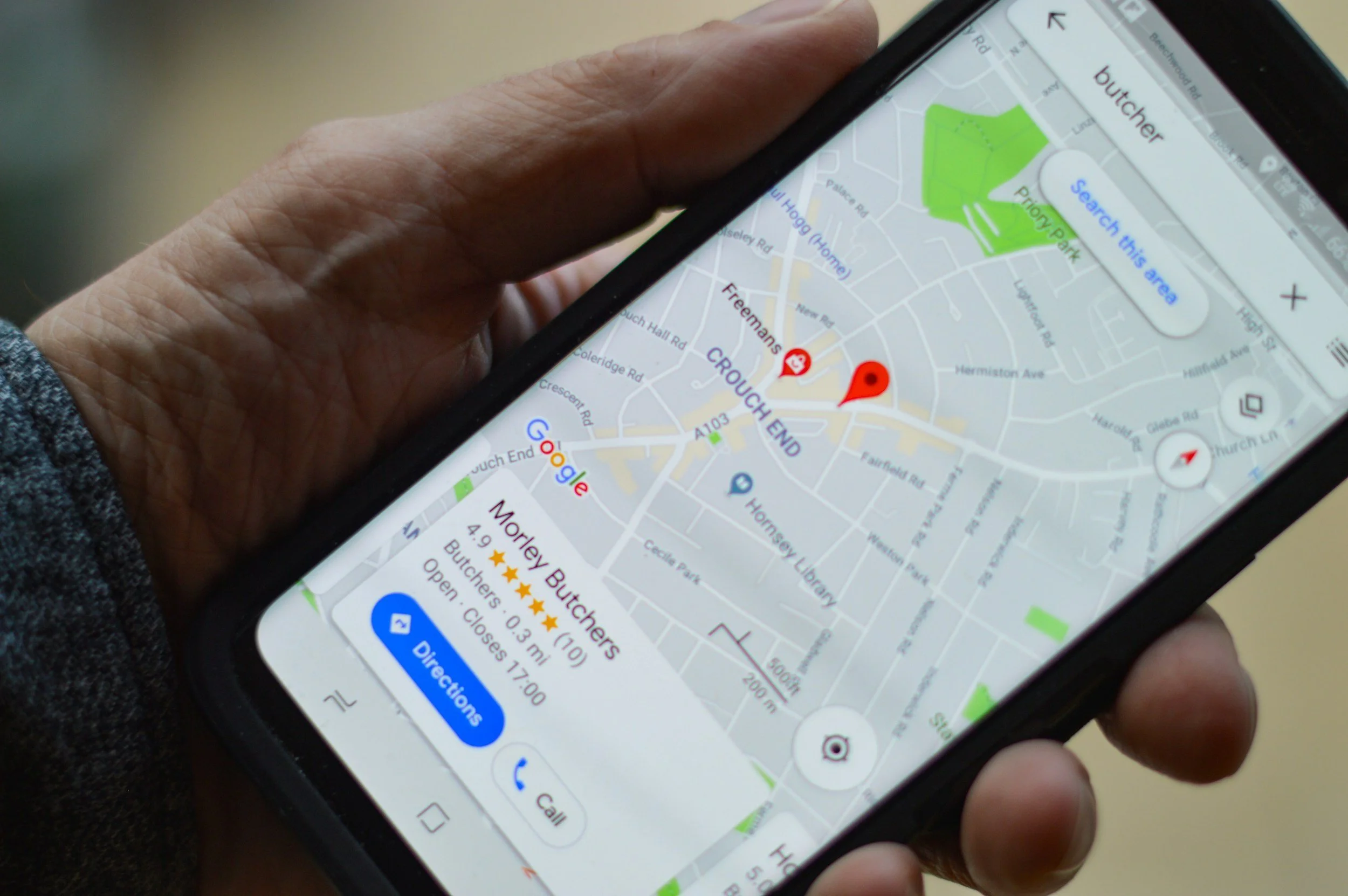
Top tactics on how to boost online visibility in your local area.
The power of local search engine optimisation (SEO) can be a game-changer for local businesses looking to make a significant impact within their community. In this article, we will delve into the world of local SEO tactics, offering actionable insights to help your business rise to the top in local searches.
From Leeds to London to Paris, in the vastness of the internet today it's easy for small businesses to feel like a needle in a haystack!
However, the power of local search engine optimisation (SEO) can be a game-changer for businesses looking to make a significant impact within their community.
In this article, I’ll delve into the world of local SEO tactics, offering actionable insights to help your business rise to the top in local searches.
Understanding the Importance of Local SEO
Local SEO is not just a buzzword; it's a critical strategy for businesses that rely on local customers.
Whether you operate a cozy café, a boutique shop, or a local service business, the majority of your customers are likely to come from your immediate vicinity.
This is where local SEO comes into play, ensuring that your business is easily discoverable by local residents searching for products or services you offer.
Here are a few key things you can get in place to help improve your search engine exposure locally:
1. Optimising Your Google My Business Profile
The first step in any local SEO strategy is to claim and optimise your Google Business profile.
Google is the go-to search engine for most users, and a well-optimised profile can significantly improve your visibility in local searches.
Make sure your business name, address, and phone number (NAP) are accurate and consistent across all online platforms.
Then enhance your listing by adding high-quality photos of your business, choosing relevant categories, and providing a detailed business description.
Lastly encourage satisfied customers to leave positive reviews, as these can boost your credibility and influence potential customers quietly in the background as they search for your products and serivces.
2. Local Keywords and On-Page Optimisation
Localising your website content is a crucial aspect of local SEO.
Conduct keyword research to identify terms and phrases that your local audience is likely to use when searching for businesses like yours.
Integrate these keywords naturally into your website's meta titles, descriptions, and content.
Also create location-specific landing pages to target different areas within your community.
These pages should provide valuable information about your products or services while incorporating local keywords.
This not only improves your chances of appearing in local searches but also enhances the user experience for visitors seeking localised information.
3. Building a Strong Local Citation Profile
Local citations, which are online mentions of your business's name, address, and phone number, play a pivotal role in local SEO.
Ensure that your business information is consistent across various online directories, review sites, and social platforms.
This consistency helps reinforce your business's legitimacy and trustworthiness in the eyes of search engines.
Ensure you take advantage of local business directories, industry-specific platforms, and community websites to build a diverse and authoritative citation profile.
Once done monitor your citations regularly and update any outdated information to maintain accuracy.
4. Mobile Optimisation for Local Searches
With the increasing use of mobile devices, optimising your website for mobile is no longer optional.
It's an absolute necessity!
Many local searches happen on smartphones and search engines prioritise mobile-friendly websites in their rankings.
Ensure that your website is responsive with a design that adapts seamlessly to different screen sizes.
Use a free tool such as Googles own page speed insights to test your website's loading speed on mobile devices and ask your website company or a professional third party expert to make necessary improvements to provide a smooth and user-friendly experience for on-the-go customers.
5. Local Link Building Strategies
Building a robust backlink profile is essential for any SEO strategy, and local businesses can benefit significantly from locally relevant links.
You can collaborate with other businesses in your community for mutually beneficial partnerships that include linking to each other's websites. Or maybe sponsor local events, sports teams, or community initiatives, and request a link back to your website in return.
Participate in local online forums, community discussions, and social media groups is also a great way to establish your business as an active and engaged member of the community.
When contributing to these platforms just include a link to your website in a natural and non-promotional manner wherever you can.
6. Tracking Success with Local SEO Analytics
To gauge the effectiveness of your local SEO efforts, it's crucial to track key metrics using analytics tools. Monitor the performance of your Google Business listing, website traffic and conversion rates from local searches.
Pay very close attention to customer reviews and address any concerns promptly to maintain a positive online reputation.
By regularly analysing these metrics, you can identify areas for improvement and refine your local SEO strategy over time.
This data-driven approach will help you ensure that your efforts align with the changing preferences and behaviors of your local audience.
7. Adapting quickly to Algorithm Changes
Search engine algorithms are constantly evolving, and staying ahead of the curve is also essential for long-term local SEO success.
Keep yourself informed about algorithm updates from major search engines (just grab my newsletter here) and be prepared to adapt your strategy accordingly.
You should alwasy focus on providing unique, valuable, relevant, and authoritative content that aligns with the intent of local search queries.
And finally always stay ethical in your SEO practices, avoiding any tactics that could result in penalties from search engines.
To wrap up…
In conclusion, local SEO is a powerful tool for small businesses seeking to establish a strong presence within their community.
By optimising your Google My Business profile, incorporating local keywords, building a solid citation profile, optimising for mobile, implementing local link building strategies, and analysing your performance with analytics, you can boost your visibility and attract local customers to your doorstep.
If you need assistance you can hire a local seo consultant to help but if you are doing it yourself then stay proactive, stay engaged with your community, and watch your business thrive in the local search landscape.
That’s all for now, thanks for reading.
Ollie

Technical SEO for beginners.
In this article, we will delve into the world of technical SEO, explore how it works, and provide you with a list of simple do-it-yourself (DIY) fixes to improve your website's performance.
Search Engine Optimisation (SEO) plays a vital role in driving organic traffic to websites. While content and backlinks often take center stage, it's crucial not to overlook the importance of technical SEO.
Technical SEO involves optimizing your website's infrastructure and code to enhance its visibility in search engine rankings.
In this article I will delve into the world of technical SEO, explore how it works, and provide you with a list of simple do-it-yourself (DIY) fixes to improve your website's performance.
What is Technical SEO?
Technical SEO focuses on improving the technical aspects of your website to make it more appealing to search engines. It ensures that search engines can effectively crawl and index your website, resulting in improved organic visibility.
Effective technical SEO involves several key factors, including website speed, mobile-friendliness, site architecture, URL structure, indexing, and much more.
By optimising these technical elements, you give search engines a clear understanding of your website's content, making it more likely to rank higher in search engine result pages (SERPs).
How Does Technical SEO Work?
Now that we understand the importance of technical SEO let's dive into how it works. Here are some fundamental aspects of technical SEO:
1. Website Speed Optimization
Website speed is a critical ranking factor. Visitors tend to abandon slow-loading websites, adversely affecting user experience.
To improve your website speed, compress images, minimize HTTP requests, use caching, and leverage content delivery networks (CDNs).
2. Mobile-Friendliness
With the majority of internet users accessing websites via mobile devices, search engines prioritise mobile-friendly websites.
Ensure your site utilizes responsive design, providing a seamless experience across different devices.
3. Site Architecture and URL Structure
Designing a logical, hierarchical site structure helps search engines understand the relationship between your webpages.
Create easily navigable categories and subcategories, and keep URLs concise, descriptive, and SEO-friendly.
4. XML Sitemap and Robots.txt
Creating an XML sitemap and a robots.txt file helps search engines crawl and index your webpages effectively.
XML sitemaps provide a roadmap of your website's pages, while robots.txt files guide search engine bots in understanding which pages to exclude from indexing.
5. Canonicalization and Redirects
Duplicate content can harm your SEO efforts. Implement canonical tags to specify the preferred version of a webpage, consolidating its ranking signals.
Additionally, set up proper redirects (301, 302, etc.) when moving or deleting pages to maintain link equity.
6. Structured Data Markup
Implementing structured data markup (commonly in the form of Schema.org) helps search engines understand specific types of information on your website.
This can lead to rich search results, attract higher click-through rates, and improve visibility.
7. HTTPS and Security
Switching your website from HTTP to HTTPS provides a secure connection, encrypts data transmission, and ensures user privacy.
Search engines prioritize secure websites, giving them a slight ranking advantage.
Here are some DIY Fixes for technical SEO
Now that you have a better understanding of what technical SEO entails, here are some simple DIY fixes to help optimize your website:
1. Optimise Image Sizes
Compress images using tools like Squoosh or TinyPNG to reduce file size without losing quality.
2. Enable Browser Caching
Leverage browser caching to store static files, reducing load time for returning visitors. Implement caching through plugins or code edits.
3. Use a Responsive Design
Ensure your website adapts seamlessly to different screen sizes and devices, providing a positive user experience.
4. Fix Broken Links
Regularly check for broken links using tools like Broken Link Checker or Google Search Console, and fix or redirect them.
5. Optimize Metadata
Craft compelling meta titles and descriptions, incorporating relevant keywords to attract visitors and improve click-through rates.
6. Improve Internal Linking
Create a logical internal linking structure to help search engines and users navigate your website easily.
7. Monitor and Improve Website Speed
Regularly test your website's speed using tools like Google PageSpeed Insights or GTmetrix. Address any identified issues, such as optimizing code, utilizing browser caching, or reducing server response time.
To wrap up…
Remember, technical SEO is an ongoing process.
Regularly monitor your website's performance, stay up to date with search engine algorithm changes, and adapt accordingly to maintain optimal technical SEO.
In conclusion, technical SEO is an essential component of any successful digital marketing strategy.
By implementing the right optimizations and utilizing the DIY fixes mentioned above, you can ensure your website is well-optimized for search engines, driving organic traffic and enhancing your online visibility.
That’s all for now, thanks for reading.
Ollie

How to optimise your Squarespace website content for search engines.
One of the key components of a successful SEO strategy is optimising content. In this article, we will explore the best practices and techniques to optimise your Squarespace website content for SEO.
Having a strong online presence is now crucial for the success of any business. Search Engine Optimization (SEO) plays a vital role in improving website visibility and driving organic traffic.
One of the key components of a successful SEO strategy is optimising content. In this article, we will explore the best practices and techniques to optimise content for SEO.
1. Conduct Keyword Research
The first step in optimising content for SEO is to conduct keyword research. Identify relevant keywords and phrases that your target audience is likely to search for.
Use tools like Google Keyword Planner, SEMrush, or Moz's Keyword Explorer to find high volume and low competition keywords.
Incorporate these keywords naturally throughout your content, including in the title, headings, meta tags, and body paragraphs.
2. Create High-Quality, Engaging Content
At the core of any successful SEO strategy is creating high-quality, engaging content. Search engines prioritize content that is valuable, informative, and relevant to the user's search intent.
Focus on creating content that addresses the needs and queries of your target audience.
Use a mix of text, images, videos, and infographics to make your content visually appealing.
Long-form content tends to perform better in search results, so aim for around 1,500 words per page.
3. Optimise On-Page Elements
Optimising on-page elements helps search engines understand your content better. Start with your page title, making sure it includes your target keyword.
Craft a compelling meta description that accurately summarises the content. Use heading tags (H1, H2, H3) to structure your content and include relevant keywords in these headings.
Incorporate internal and external links to provide additional value and improve navigation.
4. Optimise Images
Images are an essential part of any website, but they can also impact SEO. To optimize images, compress them to reduce file size and improve loading speed. Rename image files with descriptive keywords before uploading them.
Add alt text to provide context to search engines, as they cannot "see" images. Alt text should include relevant keywords and accurately describe the image content.
5. Implement Schema Markup
Schema markup, also known as structured data, helps search engines understand the context of your content. It provides additional information about your website, such as product details, ratings, reviews, and events.
Implementing schema markup can enhance your website's visibility in search results and improve organic click-through rates.
6. Optimise for Mobile Devices
With the majority of internet users accessing content through mobile devices, optimizing for mobile is more important than ever. Ensure your website is mobile-friendly by using responsive design.
Test your website's mobile-friendliness using Google's Mobile-Friendly Test. Optimize page load speed, as slow-loading pages can negatively affect user experience and SEO rankings.
7. Utilise Social Media
While social media signals are not direct ranking factors, they can indirectly impact SEO. Develop a strong social media presence to increase brand visibility and drive traffic to your website.
Share your optimised content on social media platforms, engage with your audience, and encourage social sharing. This can result in more backlinks and increased visibility in search engine results.
8. Regularly Update and Refresh Content
Search engines prefer fresh, relevant content. Regularly update and refresh your existing content by adding new information, updating statistics, or improving the formatting.
This signals to search engines that your website is active and provides value, leading to better rankings in search results.
9. Monitor and Analyse Performance
No SEO strategy is complete without monitoring and analyzing performance. Use tools like Google Analytics or Search Console to track organic traffic, keyword rankings, and user behavior on your website.
Analyze the data to identify trends, spot areas for improvement, and refine your SEO strategy accordingly.
To wrap up…
Optimising content for SEO is a critical task for any website owner or online marketer.
By conducting keyword research, creating high-quality content, optimizing on-page elements, and following best practices, you can improve your website's visibility and attract more organic traffic.
Remember to regularly update your content, monitor your performance, and adapt your strategy as needed to stay ahead in the ever-evolving world of SEO.
That’s all for now, thanks for reading.
Ollie

Is local seo a long term process or a one-time fix?
SEO can reap huge benefits for business websites and we uncover wether it’s a long-term process or a one-time fix.
Today where attention spans are fleeting and competition is fierce, businesses find themselves at the crossroads of traditional and online marketing strategies.
As the importance of local search engine optimization (SEO) continues to grow, an intriguing question arises: is it a long-term process or a one-time fix?
Local SEO, with its ability to connect businesses with customers searching for services or products within a specific geographic area, goes far beyond a single, transient solution.
Instead, it is a multifaceted strategy that involves continuous effort and adaptation.
While initial optimizations may result in noticeable improvements in search engine rankings and website visibility, etching a lasting imprint in the local digital landscape requires a comprehensive and ongoing SEO approach.
Consistently updating business listings, fine-tuning keywords, and crafting high-quality content are key components of maintaining a competitive edge.
To succeed in the local SEO realm, businesses must embrace the ever-changing complexities of search algorithms and customer preferences. A one-time SEO fix can indeed yield temporary benefits, but in the long run, it falls short of unlocking the full potential of local search marketing.
Building a solid foundation for online visibility demands a meticulous analysis of competition, target audience behavior, and industry trends.
This information lays the groundwork for a sustainable local SEO strategy that evolves over time. Regularly monitoring and adapting to shifts in search engine algorithms and consumer behavior ensures businesses remain relevant and competitive within their local markets.
Moreover, local SEO offers a range of long-term advantages for businesses. Establishing authority and credibility within the local community fosters trust, helping to cultivate lasting customer relationships.
Consistent visibility across search engines, directories, and social platforms builds brand recognition, which can translate into a loyal customer base.
As businesses strive to stay ahead of the digital curve, it becomes clear that local SEO is not a one-time fix but an enduring investment.
It requires patience, commitment, and a willingness to adapt in response to the ever-evolving digital landscape. By embracing the long-term potential of local SEO and consistently refining their online presence, businesses can conquer local markets, secure their digital footprint, and thrive in a competitive online world.
That’s all for now, thanks for reading.
Ollie

How long search engine optimisation takes to work.
In this short article we dive into the intricacies and untangle the factors that influence the timeline for SEO success.
The question of how long SEO takes to work is a common one and understandably so. When investing in search engine optimization (SEO) efforts, you naturally want to know when they can expect to see results.
While it would be convenient to provide a definitive timeline, the truth is that the impact of SEO varies based on a huge range of factors.
Generally, it's advised to give it at least three months to see results and three to six months before expecting significant results.
Let's dive into the intricacies and untangle the factors that influence the timeline for SEO success.
SEO is not an overnight miracle; it requires patience, perseverance, and strategic planning.
Various factors contribute to the duration it takes for SEO efforts to yield tangible results. Here are a few key considerations every astute marketer should keep in mind:
1. The Competitive Landscape
The intensity of competition within your industry can significantly impact the time it takes for SEO strategies to make their mark. If your niche is fiercely contested, expect a longer timeframe for noticeable results.
But fear not! Quality content, technical optimisation, and smart link-building can establish your brand as a frontrunner.
2. Website History and Authority
If you've recently launched a website or have limited online presence, building up credibility and authority takes time. Search engines evaluate the history and authority of a website when determining its ranking.
Building a solid foundation through high-quality content and genuine backlinks will gradually elevate your website's visibility.
3. Technical Optimisation
A technically sound website is the cornerstone of SEO success. Search engines favor well-optimized websites that offer exceptional user experiences.
Correcting technical issues, improving site speed, enhancing mobile responsiveness, and optimizing URL structures are essential steps that may take time, but the rewards are well worth the effort.
4. Content Strategy and Quality
Engaging content, infused with targeted keywords, lies at the heart of effective SEO. Creating informative, original, and well-structured content tailored to your audience's needs will establish your brand as an authority in your industry.
However, crafting exceptional content is an ongoing process, and it may take weeks or months until search engines recognise and reward your efforts.
5. Backlink Profile
Building a strong network of high-quality backlinks is a crucial element of SEO success. Earning backlinks from authoritative websites can boost your search engine rankings. However, acquiring quality backlinks is a gradual process that relies on creating remarkable content and fostering meaningful relationships in your industry.
To wrap up…
Understanding the dynamic nature of SEO and acknowledging the factors that influence its timeframe is vital. While timelines may vary, it generally takes around three to six months for SEO efforts to bear fruit.
However, it's essential to remember that SEO is a marathon, not a sprint, and ongoing optimization and adaptability are essential for lasting success.
That’s all for now, thanks for reading.
Ollie

Backlinks explained.
What exactly are backlinks and why are they so important? In this article, we will delve into the different types of backlinks and how they can significantly impact your website's SEO.
In the world of Search Engine Optimisation (SEO), backlinks play a crucial role in improving a website's visibility and ultimately driving organic traffic. But what exactly are backlinks, and why are they so important?
In this article, I will delve into the different types of backlinks and how they can significantly impact your website's SEO.
What Are Backlinks?
Simply put, backlinks are incoming links from other websites that direct users to your website. When a website links to your site, it is essentially endorsing your content and referring its users to explore further.
Backlinks are often considered as votes of confidence or popularity from the referring websites, telling search engines that your content is relevant and valuable.
Not all backlinks are created equal. Search engines consider various factors when evaluating the quality and relevance of a backlink.
Let's explore the different types of backlinks:
Natural Editorial Links
These are backlinks that occur naturally when other websites find your content beneficial and decide to link to it without any solicitation.
This type of backlink is highly valuable because it indicates that your content is considered informative and trustworthy.
Guest Blogging Links
Guest blogging involves writing and publishing articles on other websites in exchange for a backlink to your site.
When done properly, guest blogging can provide quality backlinks from authoritative websites within your niche, leveraging their existing audience and domain authority.
Directory Links
These backlinks come from online directories, which categorize and list websites based on relevant industries or topics. While some directories may have lost their impact in recent years, high-quality niche directories can still contribute to your website's overall SEO strategy.
Social Media Links
Backlinks obtained through social media platforms can indirectly impact your website's SEO. When you share your content on social media and it gets shared by others, it increases the chances of someone linking back to it.
Although these links are often "nofollow" links, they can still drive traffic to your site and generate social signals that search engines consider when ranking.
Resource Links
Resource links are obtained when other websites link to your informative and valuable resources, such as guides, tutorials, or research papers.
These backlinks are highly appreciated by search engines as they reflect your website's authority within a specific subject.
To wrap up…
Backlinks are a key element for imprvoing you website rankings on search engines. They provide validation and credibility to your content, signalling to search engines that your website is authoritative and that ti should be taken seriously.
By connecting your website to other reputable sites wth backlinks you increase the likelihood of organic traffic and higher search engine visibility as they act like digital endorsements, showing search engines that other websites trust and value your content.
By actively building quality backlinks, you can boost your website's SEO performance and by the ‘nature of the beast’ attract more visitors. So, don't underestimate the power and importance of backlinks in achieving online success.
That’s all for now, thanks for reading.
Ollie

Meta tags explained.
Learn more about Meta tags, those important snippets of code that provide information about a webpage to search engines and website visitors.
So what are meta tags then you ask? Well meta tags are snippets of code that provide information about a webpage to search engines and website visitors and they are placed within the HTML (code) of a web page and do not appear on the page itself.
These tags play a crucial role in helping search engines understand the content and context of a webpage, ultimately influencing its visibility in search engine rankings.
Here's why meta tags are important for SEO:
Title Tags
The title tag is one of the most critical meta tags. It defines the title of a webpage and appears as the clickable headline in search engine results.
An optimised title tag should be concise, accurately describe the content, and include relevant keywords.
A well-crafted title tag can significantly impact click-through rates and can help search engines understand the main topic of the page.
Meta Descriptions
Meta descriptions provide a brief summary of what a webpage is about. Although they are not used as an official ranking factor, they greatly influence click-through rates.
A well-written meta description that is compelling, relevant, and includes relevant keywords can entice users to click on the search result.
It is a golden opportunity to engage potential visitors and encourage them to visit the webpage.
Meta Keywords
In the past, meta keywords were used to indicate the main keywords associated with a webpage. However, search engines have largely disregarded this meta tag due to its excessive spamming.
Nowadays, search engines rely on other factors to determine keyword relevance.
As a result, it is no longer necessary to focus on meta keywords for SEO purposes.
Other Meta Tags
Other meta tags, such as viewport, author, and language, provide additional information about the webpage.
These tags may have limited impact on SEO, but they can enhance user experience and accessibility and as a complete package in my view that should always be taken into account.
To wrap up…
Having effective usage of meta tags can improve a website's visibility and click-through rates, resulting in increased organic traffic.
It is essential to optimise these tags accurately to provide concise and relevant information to search engines and users.
However, it's just as important to remember that meta tags alone cannot guarantee high rankings or traffic.
They are just one element of a comprehensive SEO strategy, which includes various other factors such as quality content, website structure, backlinks, and user experience.
If you can combine these elements you’ll provide a strong foundation for search engine optimisation and help secure more website visits.
That'‘s all for now, thanks for reading.
Ollie